
Selection Filter
Command Description
The "Selection Filter" command creates a selection set by using filters. You can access the selection set at a Select Objects prompt with the Previous option.
To create selection set
Click Kobi Toolkit for AutoCAD tab > Selection > Selection Filter
 .
.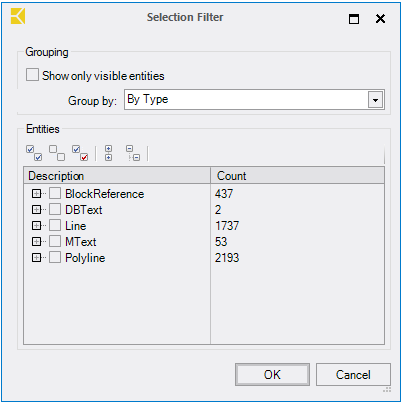
In "Grouping" section:
Check "Show only visible entities" to show only visible entities.
There are three options how to group entities: "By Type", "By Layer" or "By Type & Layer".
In "Entities" section:
There are five buttons to help you select groups of entities:
- Click
 to check all.
 - Click
 to uncheck all.
 - Click
 to invert selection.
 - Click
 to collapse all.
 - Click
 to expand all.
- Click
Or select groups of entities by using check boxes in the tree view.
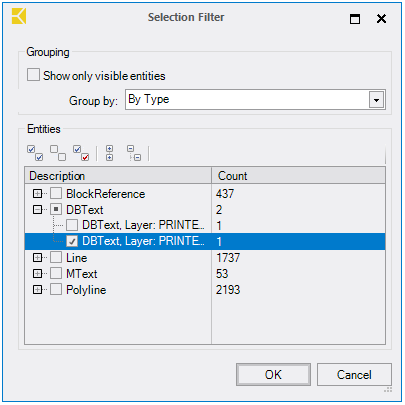
Click "OK".